
Vibhor Kashyap

Hi, I'm Vibhor Kashyap

|

Highly motivated and creative B.C.A. Passed Out student with a strong passion for Java-based application development, web design, and graphic design. Eager to contribute to innovative projects and continuously expand my knowledge.

View My Work

My Projects

Check out some of my recent work

Aaganshiksha Portal Project

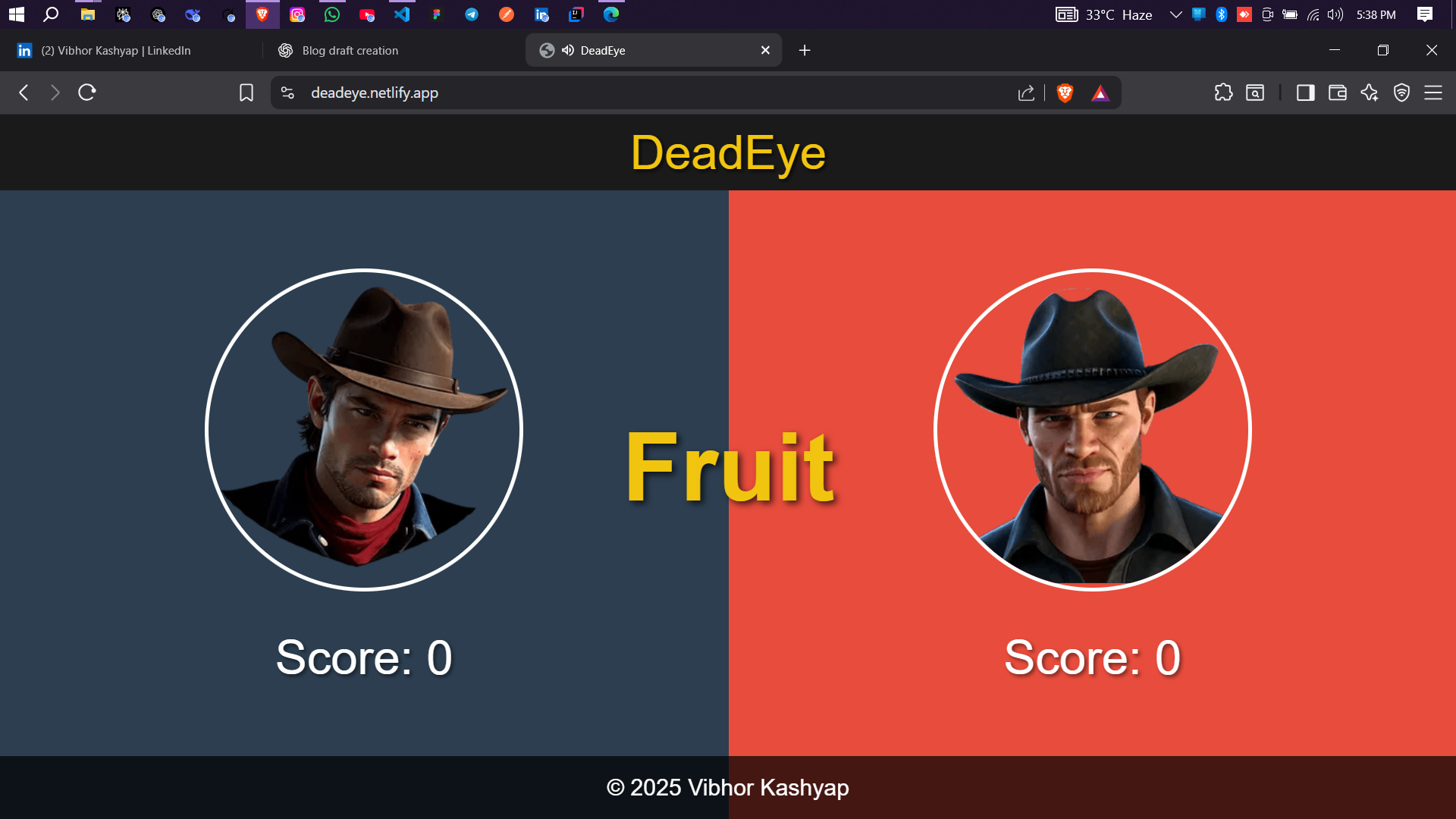
Deadeye – Reflex Game

A multiplayer reflex-testing game built with React. Players press keys only on “Fire,” competing in speed and focus. Enhanced using Minimax AI model.

Minimax AI HTML CSS JavaScript
Aaganshiksha Portal Project

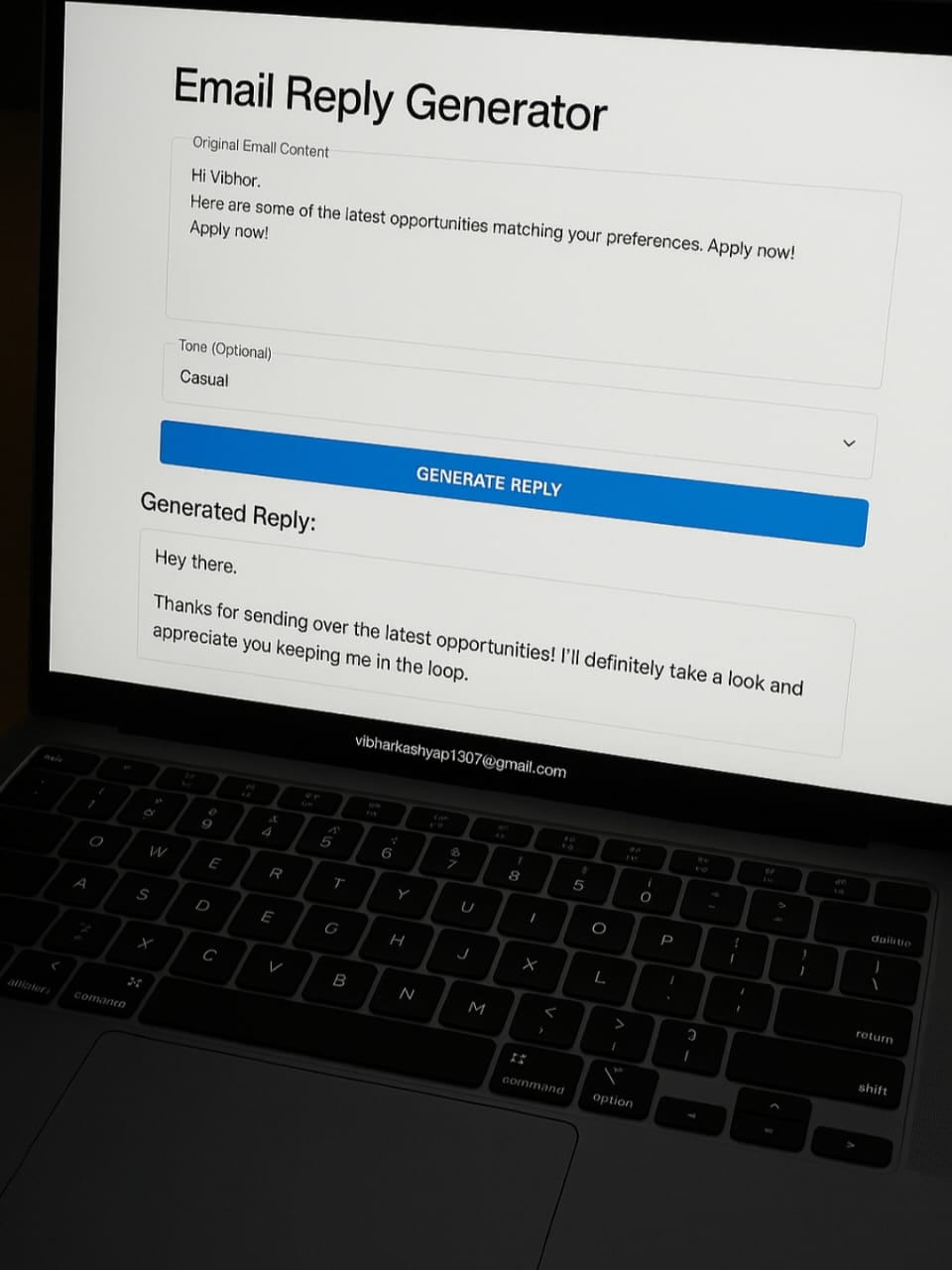
AI Email Reply Generator

An AI-powered tool using Gemini API, Spring Boot, and React. Generates professional email replies in chosen tones, saving time and ensuring consistent communication.

Sping Boot React Gemini API
Aaganshiksha Portal Project

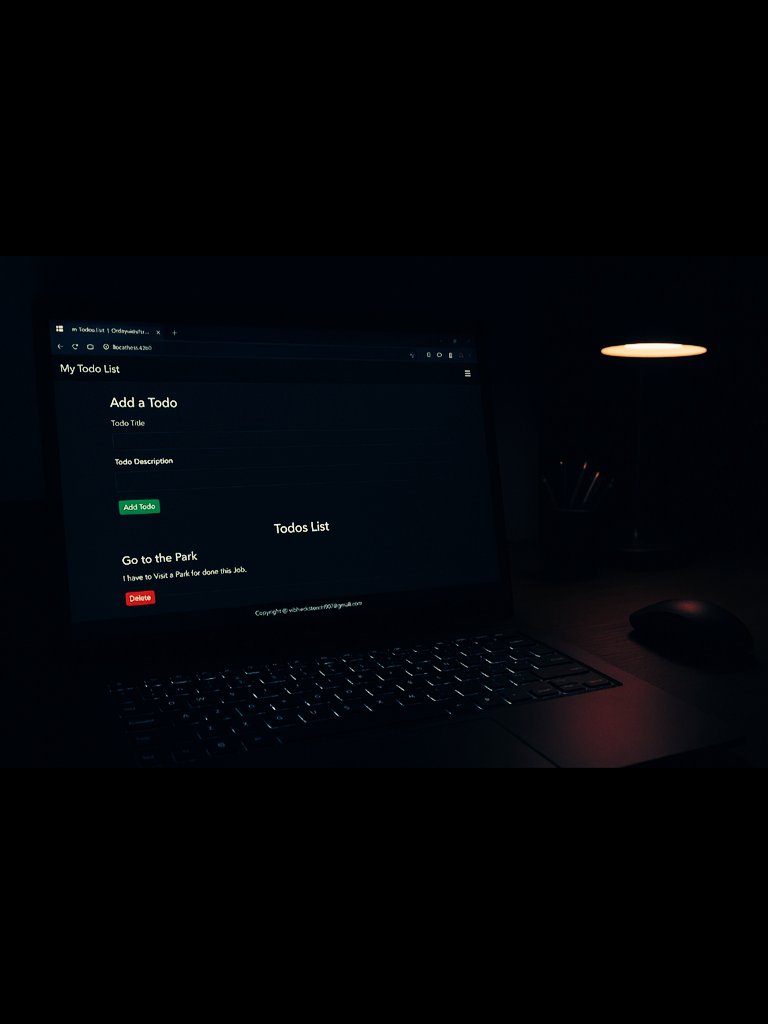
React Todo List App

A beginner-friendly React project storing todos in Local Storage. Taught me components, props, hooks, and state management while building a simple, persistent task manager.

React
Aaganshiksha Portal Project

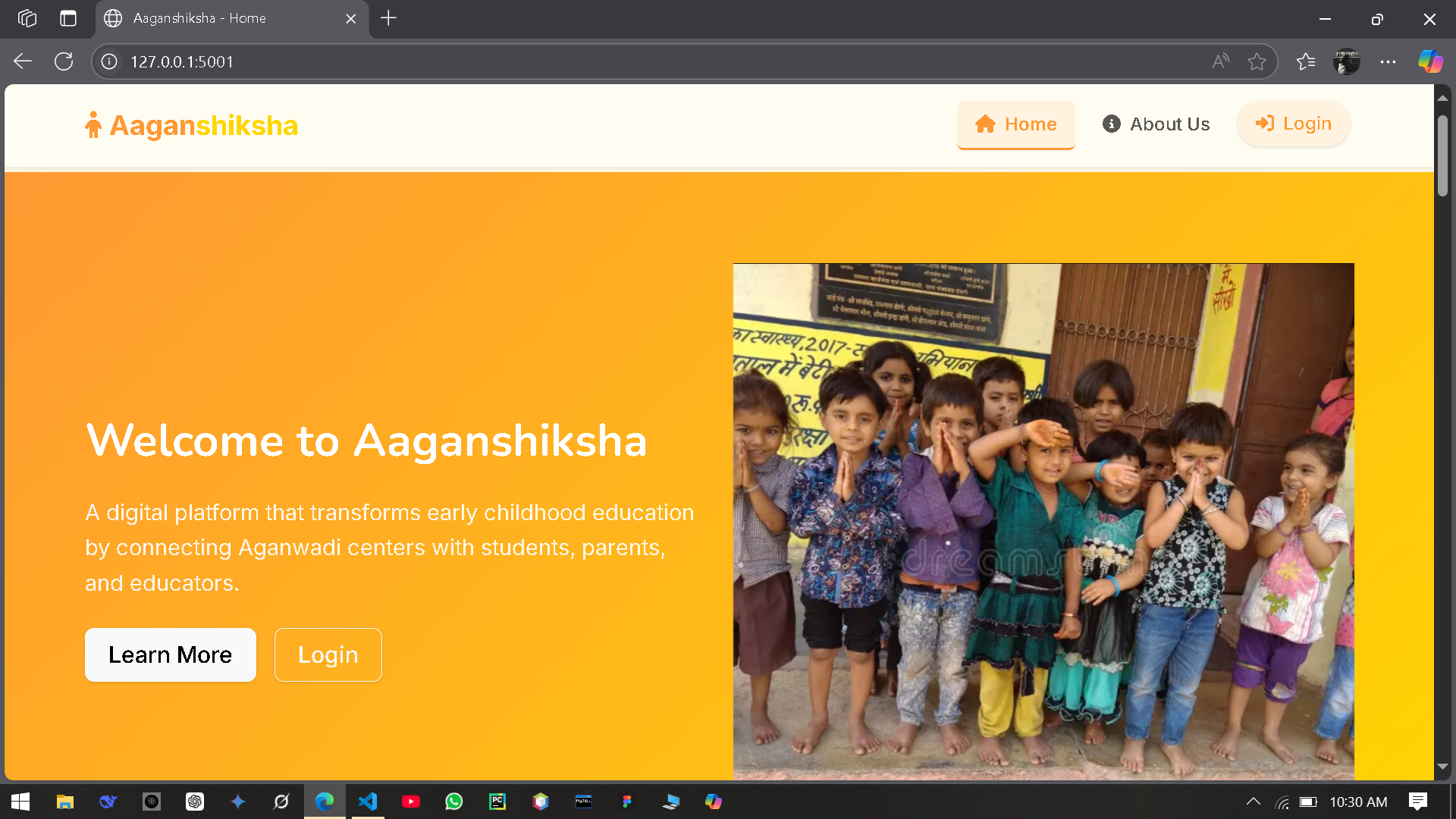
Aaganshiksha Portal

This Python-based web project manages inventory, students, teachers, and centers, marks online attendance, generates reports, and provides parents with nutrition tips and child development activities in rural Anganwadi centers.

Python HTML CSS JavaScript
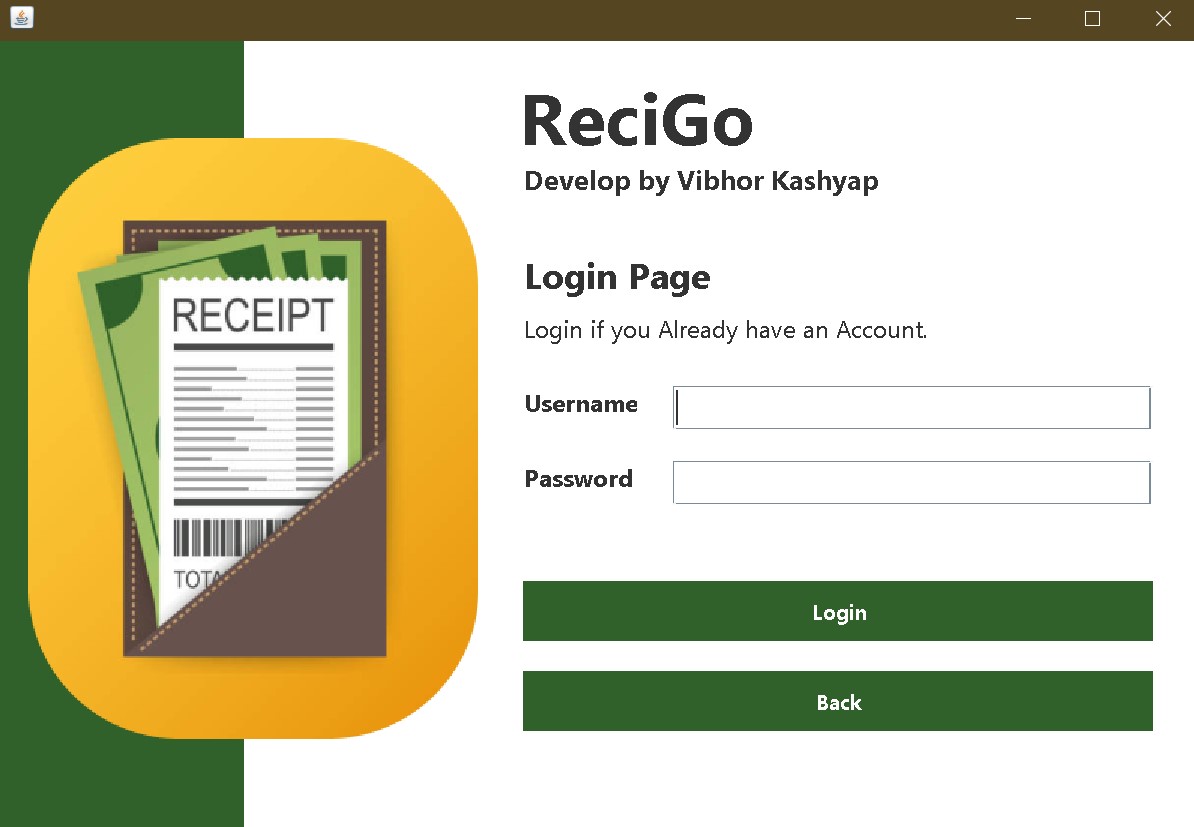
ReciGo Project

ReciGo

A Java application designed to streamline fee receipt generation for universities. Features include data transfer between frames and frame-to-PDF conversion for automated receipt generation.

Java Apache NetBeans MySQL
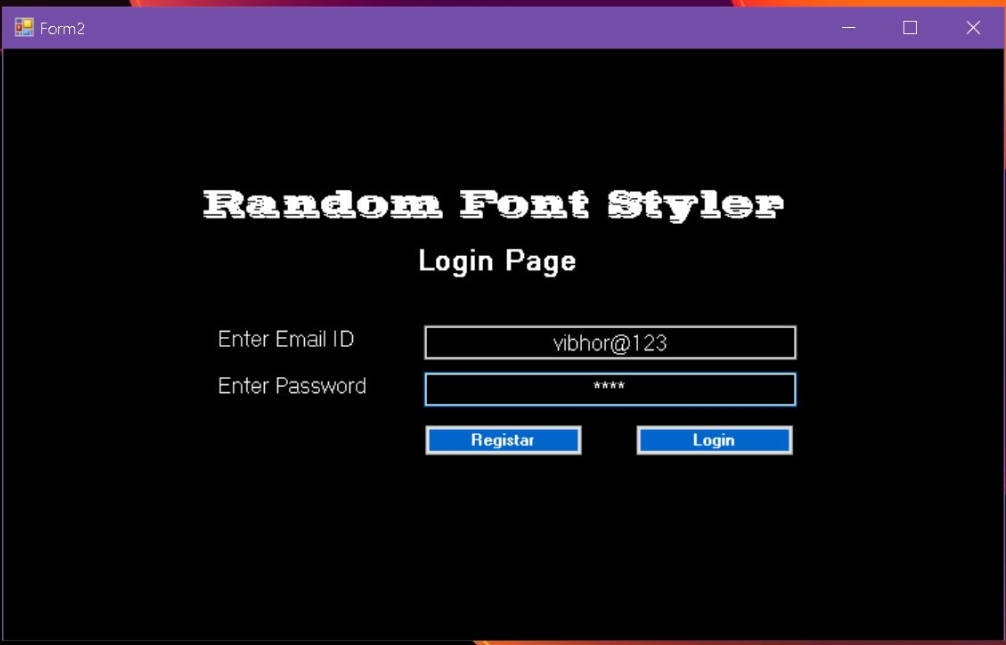
Random Font Styler Project

Random Font Styler

A creative application that blends two fonts to create a new design for unique visual styling, useful for graphic design projects and creative typography work.

Visual Basics MS Access UI Design
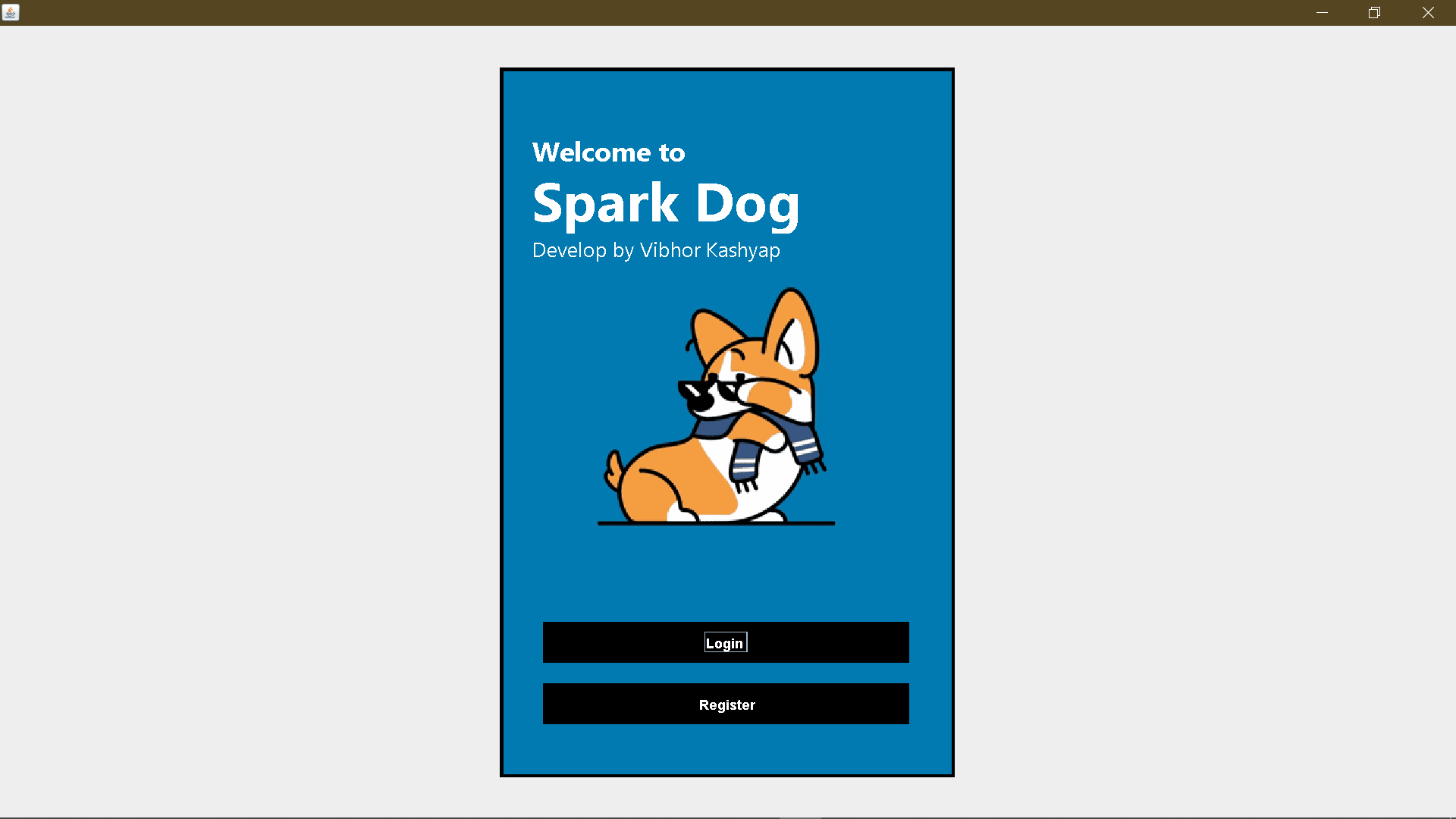
SparkDog Project

Spark Dog

A digital pet dog application that entertains users and performs various interactive activities, bringing the joy of pet ownership to the digital world.

Apache NetBeans MySQL Java

My Skills

What I'm good at

Java
Spring Boot
Python
Visual Basics
HTML
CSS
Bootstrap
MS Access
Apache NetBeans
MySQL
Oracle
Problem Solving
Communication
Graphic Design

Programming

Java 90%
Python 75%
Spring Boot 80%

Web & Database

HTML/CSS 85%
MySQL 85%
Oracle 80%

My Resume

Download my resume

Click below to view or download my resume

Get a detailed overview of my experience, skills, and education.

Download CV

Education

Bachelor of Computer Applications (BCA)

Teerthankar Mahaveer University, Moradabad

2022 - 2015

Class 12th, CBSE Board

Shri Guru Nanak Sr. Sec. School, Kashipur

2021 - 2022

Certifications

Oracle: A Practical Introduction for Querying Databases

Teerthankar Mahaveer University, Moradabad

Brain Manthan (Designing)

Teerthankar Mahaveer University, Moradabad

My Blog

Latest articles and thoughts

Trae AI Code Editor
#Minimax #HTML #CSS #JavaScript

Deadeye – A Multiplayer Reflex-Testing Game

🚀 Introduction I’m excited to share my latest project: Deadeye, a fun and competitive multiplayer reflex-testing game. This project blends fast-paced gameplay with AI-powered development, making it not only entertaining but also a showcase of modern web technologies and AI integration. Whether you’re looking for a quick mental refresh or want to challenge your friends, Deadeye is designed to keep you on your toes! 👉 Play the game here: deadeye.netlify.app 🕹️ Game Rules The concept is simple yet surprisingly tricky: ✅ Press your key only when you hear or see the word “Fire”. ⚡ The fastest player to react scores a point. ❌ If you press the key on a wrong word (like file, fruit, foot…), your opponent wins the point. It’s a battle of sharpness, speed, and focus. ⚡ Why Deadeye is Special Fast & Fun: Quick rounds that make it addictive to play. Trick Words: Similar words add a layer of confusion and excitement. Multiplayer Mode: Challenge your friends in real-time reflex duels. AI Integration: During development, I used the new Minimax AI model to generate parts of the logic and enhance interactivity. The model was intuitive, accurate, and efficient, making the dev process smooth. 🛠️ Tech Stack Frontend: React.js Game Logic: JavaScript (timing, word randomization, scoring system) Deployment: Netlify (for fast and free hosting) AI Assistance: Minimax AI model (to refine gameplay logic and wording) 💡 What I Learned Building real-time reflex-based mechanics with random delays and word variations. The importance of UI/UX in gaming, ensuring instructions are clear but gameplay is challenging. How AI tools like Minimax can speed up prototyping and ideation. 🔮 What’s Next I plan to expand Deadeye with features like: 🎤 Voice-based commands 🏆 Scoreboards & Leaderboards 🎨 New game modes with increased difficulty 📱 Mobile-optimized version for on-the-go fun 🌟 Conclusion Deadeye started as a fun side project, but it became a great way to test my React skills, experiment with AI in game development, and create something that people can actually enjoy playing. If you’re looking for a quick mental refresh, a challenge against friends, or just a fun way to test your reflexes — give Deadeye a try! 👉 Play now: deadeye.netlify.app ✅ Skills Showcased in this Project: React.js Game Development Logic AI Integration (Minimax) Web Deployment (Netlify)

Read More
Trae AI Code Editor
#Spring Boot #Gemini API #React

Building an AI-Powered Email Reply Generator with Gemini API, Spring Boot & React

Introduction In today’s professional world, email is one of the most time-consuming communication tools. Drafting the right response, choosing the right tone, and ensuring consistency can be mentally exhausting—especially for people who manage dozens of emails every day. To solve this, I recently built an AI-powered Email Reply Generator using the Gemini API. This project combines a strong backend built with Spring Boot, a fast and interactive frontend built with React + Vite, and a modern, clean UI powered by Material UI. The result? A tool that helps professionals save time and communicate more effectively. 🔧 Tech Stack at a Glance Backend: Spring Boot – handles API requests and securely communicates with Gemini API. Frontend: React + Vite – provides a responsive, fast, and smooth user experience. UI Library: Material UI – ensures a modern, consistent, and professional design. AI Integration: Gemini API – generates human-like, contextually relevant responses. ⚡ How It Works The app workflow is designed to be simple and intuitive: Paste an Email – Users paste the email they’ve received into the input box. Select a Tone – Choose from multiple tones like professional, friendly, apologetic, persuasive, etc. Generate Reply – With one click, the app sends the request to the backend. AI Magic – The backend calls the Gemini API, processes the input, and returns a contextually relevant reply. Final Draft – The user gets a polished, ready-to-send response that matches their chosen tone. 💡 Why This Project Matters Saves Time: No more spending 10–15 minutes drafting every response. Tone Consistency: Ensures emails align with corporate communication style. Reduces Mental Load: Professionals can focus on decision-making instead of writing. Scalable: Could be extended for customer support, HR responses, or sales follow-ups. 🎨 User Interface & Experience The frontend was built with React + Vite, ensuring: Fast build times & hot reloading for developers. Clean, intuitive layout designed with Material UI. Dropdown tone selection to customize replies instantly. Loading indicators & smooth interactions to make the app feel professional and polished. 👉 (Add screenshots or GIFs of the UI here to showcase the experience.) 🛠️ Behind the Scenes (Architecture) Spring Boot Backend: Exposes a REST API endpoint /generate-reply. Accepts input email text + selected tone. Calls Gemini API and parses the response. Sends the formatted reply back to the frontend. React + Vite Frontend: Provides form inputs for email text and tone selection. Sends requests to backend using Axios. Displays AI-generated replies instantly in the UI. Gemini API: Powers the natural language generation. Ensures context-awareness and tone adaptability. 🚀 What I Learned Working on this project gave me insights into: Designing a full-stack AI application from scratch. Handling API authentication and secure communication with AI services. Building a responsive, real-world UI with React, Vite, and Material UI. The importance of prompt engineering in controlling tone and accuracy of AI outputs. 🔮 Future Enhancements Multi-language support for global teams. Integration with Gmail/Outlook for one-click replies. Custom tone training (company-specific writing styles). Draft history to track and reuse generated responses. 🌟 Conclusion This project is more than just a coding exercise—it’s a productivity tool with real-world applications. By combining AI, Spring Boot, React, and modern UI design, I created something that solves a common problem for professionals everywhere. I’m really proud of how smooth and intuitive the experience feels. 🚀

Read More
Trae AI Code Editor
#React

My First React.js Project – A Simple Todo List App

Introduction Every developer remembers their first project with a new technology—it’s the moment when theory turns into something real and functional. For me, that milestone came with building a Todo List website using React.js. This project may look simple at first glance, but it taught me the fundamentals of React, from working with components and props to managing state and using hooks. It also gave me hands-on experience with storing data in the browser using Local Storage, ensuring tasks don’t disappear after refreshing the page. 🛠️ Tech Stack Used Frontend Framework: React.js State Management: React Hooks (useState) Storage: Browser Local Storage Styling: CSS (basic UI) ⚡ Features of the Todo App ➕ Add Tasks – Users can add tasks to their todo list. 🗑️ Delete Tasks – Tasks can be removed when completed. 💾 Persistent Storage – All tasks are saved in Local Storage and remain even after refreshing the page. 🎯 Simple & Responsive UI – Easy to use and accessible on different devices. 📚 Key Learnings from This Project Functional Components & Hooks I learned how to write reusable functional components in React. Hooks like useState made managing component state simple and intuitive. State Management with useState Used useState to store and update the todo list dynamically. Every new task added updated the state and re-rendered the UI automatically. Local Storage Learned how to persist data in the browser using Local Storage. This was a game-changer because it made the app feel more real and user-friendly. Props & Event Handling Explored how to pass data between components using props. Implemented event handling (like adding/deleting tasks) in a React-friendly way. 💡 Why This Project Was Important While it’s a small project, this Todo List app laid the foundation for my React learning journey. It helped me: Build confidence with React syntax. Understand the flow of data in React applications. Get comfortable with hooks, state, and props. See how even simple apps require thoughtful structure. 🔮 What’s Next? Now that I’ve built my first project, I feel motivated to work on more advanced projects like: Weather App with API integration Notes App with rich-text editing Expense Tracker with charts and analytics Full-stack projects combining React with Spring Boot 🌟 Conclusion This project may be simple, but for me, it’s a big milestone. It marks the beginning of my React journey and gives me the confidence to take on bigger challenges. Sometimes the smallest projects have the biggest impact on our learning journey—and this Todo List app is definitely one of those for me. ✅ Skills Showcased in this Project: React Fundamentals (components, props, state, hooks) Event Handling in React Local Storage API JavaScript ES6+

Read More
Trae AI Code Editor
#tech #bca #college

🎓 After BCA: The Hardest Question I Ever Faced – “What Next?”

I recently completed my Bachelor of Computer Applications (BCA), a three-year journey filled with learning, projects, and countless exams. Six semesters, thirty subjects, hours of coding, late-night debugging, assignments, and presentations—I’ve done it all. I thought the toughest part was getting through the syllabus. But the hardest question came right after my degree was done: “What next?” It sounds like a simple question, but trust me, it’s not. The moment I finished my last paper, people started asking me—friends, family, relatives, even neighbors—“Ab kya karega?” “Job mila?” “Further studies?” “Startup banayega?” “Freelancing karega ya MCA karega?” And honestly, I don’t have a clear answer. I don’t say that because I haven’t tried, but because I’m still figuring it out. I really don’t know exactly what comes next, and that’s the truth. In these three years, I’ve picked up a lot. I’ve learned programming in Java, C++, Python. I’ve built websites using HTML, CSS, Bootstrap. I’ve worked on databases like MySQL and MS Access. I understand both frontend and backend. I’ve done UI/UX design. I’ve worked on real-life projects and practiced a lot. But I’m not an “expert” in just one thing. I genuinely enjoy doing everything. I love coding, I enjoy designing, I feel confident with databases too. And that’s where the confusion begins. I like it all, but I don’t know what to pick as the path. The world outside college is moving fast. Technology changes every day. New frameworks, new AI tools, new languages keep coming. It feels like what you learn today becomes outdated tomorrow. Companies want freshers with experience. Everyone is competing. It’s easy to feel lost, confused, and stuck. I know I have skills, but sometimes even that doesn’t feel enough when there’s so much pressure to “figure it out.” But despite the confusion, I’m trying. I’m not giving up. Every single day, I’m learning. I’m solving coding problems, practicing Java, building mini projects, updating my resume, learning new tools, and applying for jobs. It’s slow. It’s not easy. Some days feel frustrating. Some days feel empty. But I know progress doesn’t always show up immediately. Just because I don’t have a job yet doesn’t mean I’m not working for it. I am. Every single day. There’s a quote I keep close to my heart: “I’m not stuck, I’m just loading.” And it’s true. I’m not lost, I’m just on my way. The journey after college is not a straight road—it’s full of questions, doubts, and waiting. But I believe in myself. I believe in my hard work. I believe in my effort. And I know one thing with full confidence: I will make it. Maybe not today. Maybe not tomorrow. But soon. Because I’m not sitting idle. I’m doing everything I can. I may not have the perfect answer to “What next?”—but I have a strong answer to “Will you make it?” Yes. I will. And to anyone else reading this who feels the same—confused, tired, unsure—just remember: you’re not alone. We’re all figuring it out in our own way. The question “What next?” doesn’t need a perfect answer right now. Just keep moving. Keep trying. And one day, your answer will be loud and clear.

Read More
Trae AI Code Editor
#tech #Ai #replit #trae

Discovering Trae: An Impressive AI-Based Code Editor Powered by Claude 3.5 Sonnet

Recently, I discovered Trae, an AI-powered code editor that truly impressed me with its powerful features and sleek user interface. Built on Claude 3.5 Sonnet, Trae brings intelligent code suggestions, real-time improvements, and smart error detection that make coding smoother and faster. I used Trae to make changes to a website I originally built on Replit, and the experience was seamless. The editor's UI is clean, modern, and extremely user-friendly, making it ideal for both beginners and experienced developers. What makes Trae even more exciting is that it's currently free to use, making it a great opportunity to explore cutting-edge AI tools without spending a penny. Whether you're debugging, editing, or building from scratch, Trae can enhance your productivity. I highly recommend everyone in tech to give Trae a try—you might just find your new favorite code editor. Don't wait—explore it as soon as possible!

Read More

Get In Touch

Have a question or want to work together?

Let's Connect!

Feel free to reach out through any of these channels

Location

Kashipur (244713), U.S. Nagar, Uttarakhand